
Fiber Optic Network Documentation: A Handover Checklist for Labels, Test Files and As-Built Records
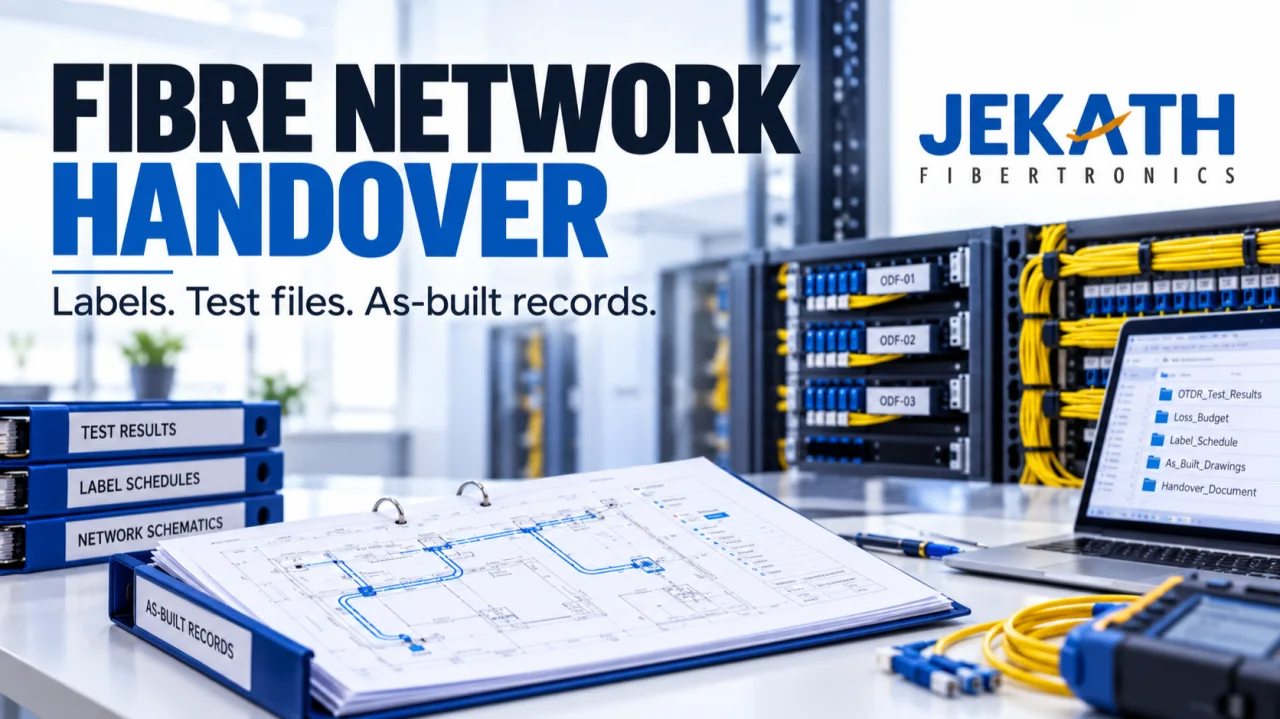
A fibre link can be installed and tested while its handover package remains difficult to use. The cabinet label may use one name, the drawing another and the test file a third. When the maintenance team needs to identify that link, the missing connection between records becomes the problem.
For network owners, system integrators and fibre installation teams, good documentation answers a practical question: can someone who did not install the network identify the asset, find its records and understand its current status?
The short answer: agree a consistent identification system, connect each link to its test evidence and actual installed route, and hand over a controlled set of records with clear ownership. Review the package by trying to retrieve information, rather than checking only whether a folder contains many files.
This guide from Jekath Fibertronics focuses on the organisation of a fibre optic handover. It is not a substitute for a project specification, an approved test plan or the training needed to work safely on optical networks.
Start the handover plan before installation ends
The Fiber Optic Association treats documentation as part of the installation process, beginning before work starts and continuing through final test data. Its installation guidance also emphasises agreeing the records and test results to be supplied to the customer. FOA: fibre optic installation guidance
The practical implication is simple: do not leave the structure of the handover package until the final week. By then, technicians may have moved to another project and temporary notes may be difficult to interpret.
Agree who creates each record, who reviews it and who receives the final version. Include the operations team in that discussion. A folder structure that makes sense to the installer may not match the way the owner manages buildings, cabinets or service areas.
Ask the owner to demonstrate how they would search for a link during a routine task. That example can guide the naming and indexing system without requiring an elaborate new software platform.
Use one identity across the physical asset and its records
The central idea is traceability: the label on the asset should lead to the corresponding entry in the documentation, which should lead to the relevant evidence.
Create a naming convention that distinguishes the assets in your project. It may need to identify sites, rooms, racks, panels, cables and individual fibres or links. The exact scheme should follow the project�s requirements and the owner�s existing system.
Write down the meaning of each part of the identifier. Avoid relying on abbreviations that only one technician understands. If two teams independently interpret the same short code, apparently consistent labels can conceal different meanings.
Maintain an index showing the agreed identifiers and their relationships. For example, a link entry can point to its endpoints, drawing reference and test-record location. Treat this as a navigation aid, not as permission to omit the detailed records required by the specification.
If a label changes during the project, record the previous reference and update the connected documents. Renaming only the drawing leaves the physical installation and test archive out of step.

Illustrative documentation activity in a telecom room. Identification and records should be checked through the project�s authorised procedures.
Distinguish the design from the installation that was actually delivered
A design drawing describes the intended arrangement. An as-built record should represent the installed arrangement after approved changes have been incorporated.
Make that distinction visible in file names, revision information and approval status. A drawing marked �final� is not useful if nobody can tell whether it reflects a late route change.
Ask the installation team to record changes while the details are available. The owner and contractor should agree how those observations become reviewed updates. A photograph or marked-up sketch can support the process, but it should not silently replace the required final record.
For each affected item, capture what changed, which assets are involved and which record needs revision. Do not rely on a general note such as �route adjusted on site� when the maintenance team will need to understand the actual arrangement.
Where location information is sensitive, keep it within the authorised handover system. Public marketing images and unrestricted links are not appropriate substitutes for controlled infrastructure records.
Make test files retrievable, not merely numerous
A test archive is useful when the reviewer can connect each required result to the correct link and understand the context needed to interpret it.
Agree the deliverable formats before testing. Depending on the project and instruments, the owner may require native files, readable reports or both. Confirm that the receiving team can open the agreed files using its available tools.
Create an index that connects identifiers to their evidence. Include the information required by the approved test plan and specification, and keep the distinction between a raw record, a reviewed report and an acceptance decision clear.
Do not rename files in a way that breaks their relationship with the instrument records or removes meaningful information. If a presentation name is needed, retain a controlled mapping to the original file.
A screenshot of a result can be convenient for discussion, but it may omit context. Confirm what the project requires instead of assuming a collection of screenshots is a complete handover.
This article does not prescribe universal optical-loss limits or test methods. Those must come from the applicable project requirements and competent technical review.

Conceptual example: a consistent link identifier connects the physical label, test file and as-built record. The graphic is not a real test report.
Keep status separate from the file name
Teams often use words such as �complete�, �tested�, �reviewed� and �accepted� as if they mean the same thing. They describe different steps.
A link may have a test file available while the review is still pending. A drawing may be technically reviewed but awaiting a correction to its revision record. An outstanding issue may be accepted for a defined follow-up process without becoming invisible.
Agree a small set of status labels and define them in the handover index. Name the person or role responsible for moving an item to the next status. Keep the evidence for that decision available.
For open issues, record the affected identifier, the action required, the responsible party and the agreed next review point. Avoid hiding unresolved items in an email thread while the main index implies everything is finished.
A transparent issue list helps the owner understand the actual state of the package. It also gives the contractor a clear route to close the remaining items.
Use photographs as supporting context
Photographs can help someone recognise a cabinet, a label or the arrangement around an asset. Their value depends on context.
Link each useful photograph to the relevant identifier and describe what it shows. A folder containing hundreds of unnamed images can be slower to use than a smaller set with a clear index.
Include enough surrounding detail to orient the authorised viewer, but avoid collecting unrelated personal information or exposing credentials and access arrangements. Follow the site�s photography and information-security rules.
Keep photographs in their supporting role. A visible label in an image does not prove the full technical condition of a link, and a wide room photograph does not replace a detailed connectivity record.
When a configuration changes, review whether the corresponding photographs remain useful. An outdated image can create confusion if the package presents it as current without a date or revision context.
The test of a handover is retrieval: can the next person find the right record for the right link?
Editorial takeaway from this Jekath Fibertronics guide.
An illustrative handover review
Imagine a fictional campus project connecting two buildings. The installer has supplied drawings, photographs and test reports. The owner�s engineer selects one link from the physical panel and tries to find its documentation.
The panel uses a building-based identifier, but the test folder uses a technician�s temporary sequence. A late drawing revision also changed the endpoint description. None of these files is necessarily missing; the problem is the lack of a reliable connection between them.
The teams create a reviewed identifier map, update the index and check the affected labels and drawings through the authorised process. They then repeat the retrieval exercise with other links and record any remaining mismatches for correction.
This is a hypothetical example, not a reported Jekath project or a quantified performance claim. It shows why counting files is a weaker check than following an asset through its connected records.

Illustrative records desk. Organised files need an agreed index, revision history and an owner who keeps them current.
Agree how records will be maintained after handover
A well-organised package can become outdated after the first modification if nobody owns the update process.
Before closing the project, agree where the controlled records will live and which role maintains them. Identify who can propose changes, who reviews them and how the approved version becomes available to operations staff.
Keep historical revisions where the organisation�s policy requires them, while making the current version easy to identify. Avoid several shared folders that each claim to contain the latest records.
Discuss access and backup with the owner�s responsible team. The objective is availability to authorised personnel without unnecessary exposure of network details. Do not store administrative passwords inside general handover documents.
Include record updates in future change work. If a panel assignment or route changes, the task should include the associated documentation review rather than ending when the physical work is complete.
A practical handover review checklist
Use the project specification as the authority, then ask these operational questions:
- Can the receiving team interpret the naming convention without the installer present?
- Does a selected physical identifier lead to the correct documentation entry?
- Do the relevant drawings represent the installed arrangement and show revision status?
- Can the owner open the required test files and locate the associated reports?
- Are outstanding issues visible, assigned and described clearly?
- Are useful photographs indexed and handled under the site�s information rules?
- Is the current record location clear, with an owner for future changes?
This checklist supports a review; it does not replace contractual acceptance criteria or technical certification.
Questions network teams often ask
Is a PDF report enough for handover?
That depends on the agreed deliverables. A readable report may help reviewers, while native files may also be required for later analysis. Confirm the format and access requirements before testing begins.
Who should define the labels?
The naming system should be agreed between the network owner and the responsible project team. Existing owner conventions and project requirements should guide the decision so that new assets fit the wider network records.
Should every small change create a new record?
Use the owner�s change-control procedure to determine what must be updated and approved. The important point is that records presented as current should reflect the relevant installed arrangement.
Can documentation fix an uncertain test result?
No. Organisation helps people find and review evidence; it does not turn an unsuitable or incomplete test into an acceptable one. Technical questions must be resolved through the approved testing and review process.
Make documentation part of the equipment conversation
When planning a fibre project, discuss how identifiers, instrument outputs and handover formats will work together. Share the intended application and documentation needs with Jekath Fibertronics, and confirm the capabilities and support relevant to the equipment being considered.
A clear handover does more than close a project folder. It gives the people responsible for the network a usable starting point for maintenance, change and informed technical review.