
How to Reduce Fiber Optic Splicing Loss: Causes, OTDR Testing, Troubleshooting and Best Practices
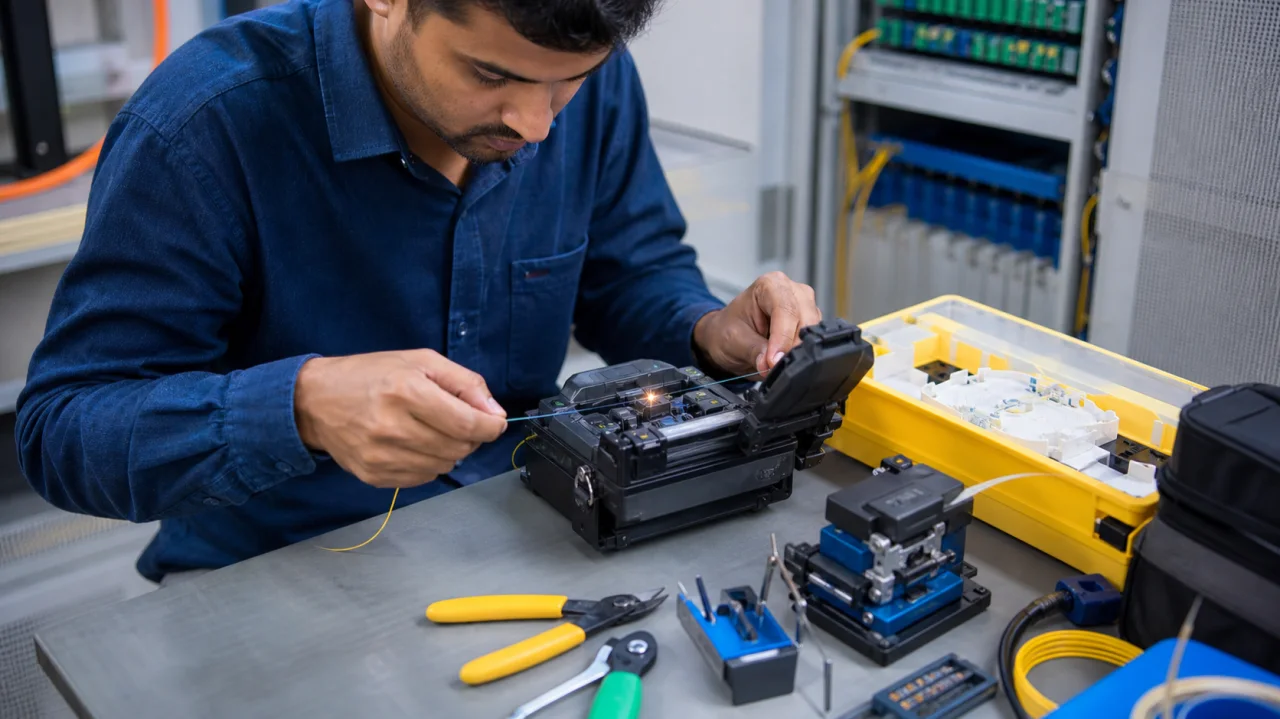
A fusion splice can look perfect on the machine and still underperform in the network. Estimated loss on the splicer is useful, but it is not a substitute for measured end-to-end performance. Dust, poor cleaving, mismatched fibres, incorrect parameters, stressed closures and test mistakes can turn a small installation issue into intermittent service, failed acceptance or expensive repeat visits.
For fiber contractors and network teams searching how to reduce fiber optic splicing loss, the answer is a controlled process. Cleanliness, fibre preparation, equipment condition, correct programmes, splice protection and bidirectional testing all matter. This guide explains why loss occurs, how to identify the pattern and how to prevent the same defect from returning.
Quick answer: Reduce splice loss by identifying the fibre type, cleaning and stripping without damage, producing a square cleave, maintaining electrodes and V-grooves, using the correct splicer programme, protecting the completed joint from bend and tension, and verifying the link with appropriate power-meter and OTDR methods.
What splice loss means
Optical loss is the reduction in light power as a signal travels through the link. Every connector, bend, splitter and splice contributes some attenuation. A well-made fusion splice should add only a small, controlled amount, but the acceptable value depends on fibre type, network design, customer specification, wavelength and measurement method.
The splicer estimates loss from images and alignment data. It does not send calibrated network wavelengths through the complete installed joint. Acceptance should therefore use the contractually required test method rather than a single screen value.
1. Begin with fibre compatibility
Splicing unlike fibres can produce loss or misleading OTDR results because core size, mode-field diameter, refractive profile and coating design differ. Confirm cable construction, fibre standard, manufacturer data and application. Do not rely only on jacket colour or an old drum label.
Mixed fibres can create directional measurement differences. A splice may appear higher from one OTDR direction and lower from the other. Bidirectional results and proper averaging help distinguish a real poor splice from an apparent gainer or exaggerated loser.
2. Control contamination before it reaches the glass
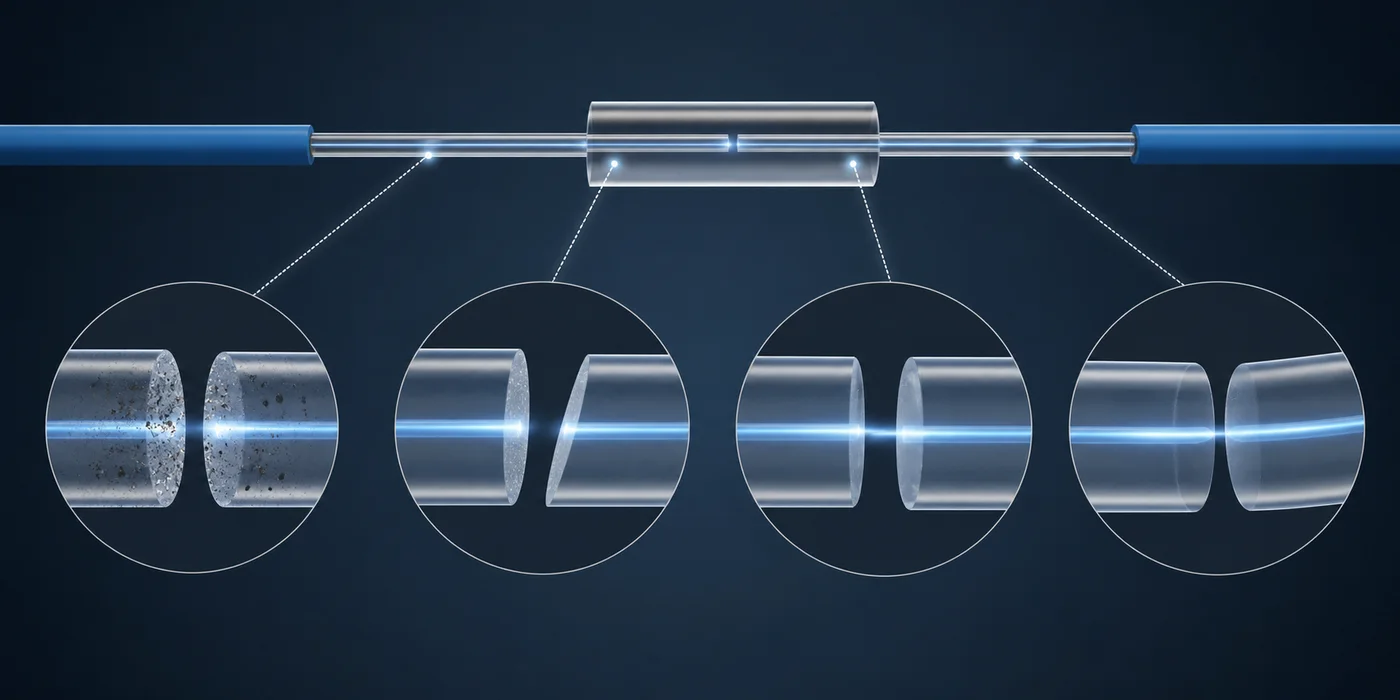
Dust and residue are among the most preventable causes of unreliable work. Keep the work surface organised, close consumable containers and clean tools using materials approved for fibre preparation. A dirty stripper, cleaver clamp or V-groove can transfer contamination repeatedly.
Strip only the required length. Remove coating residue without excessive wiping. Avoid touching the prepared glass. Dispose of fibre shards immediately in a dedicated container; safety is part of quality control.
3. Prevent stripping damage
A worn, misaligned or incorrectly used stripper can nick the glass. The damage may break during handling or survive long enough to create a weak splice. Use the stripper size intended for the coating, keep blades clean and replace damaged tools. Apply a controlled straight motion rather than twisting the fibre.
After stripping and cleaning, inspect for obvious defects. If there is doubt, cut back and prepare again. Saving a few centimetres of fibre is rarely worth a future closure reopening.
4. Make the cleave repeatable
The cleaver produces the end faces that the arc must join. A poor cleave angle, lip, chip or hackle reduces alignment quality and can create bubbles or abnormal fusion. Clean the blade and clamps, seat the fibre correctly and close the mechanism without forcing it.
Track blade position and cleave count. Rotate or replace the blade according to condition and manufacturer guidance. If multiple technicians suddenly see poor angles, inspect the cleaver before adjusting the splicer to compensate for a mechanical preparation problem.
5. Maintain V-grooves, clamps, lenses and electrodes
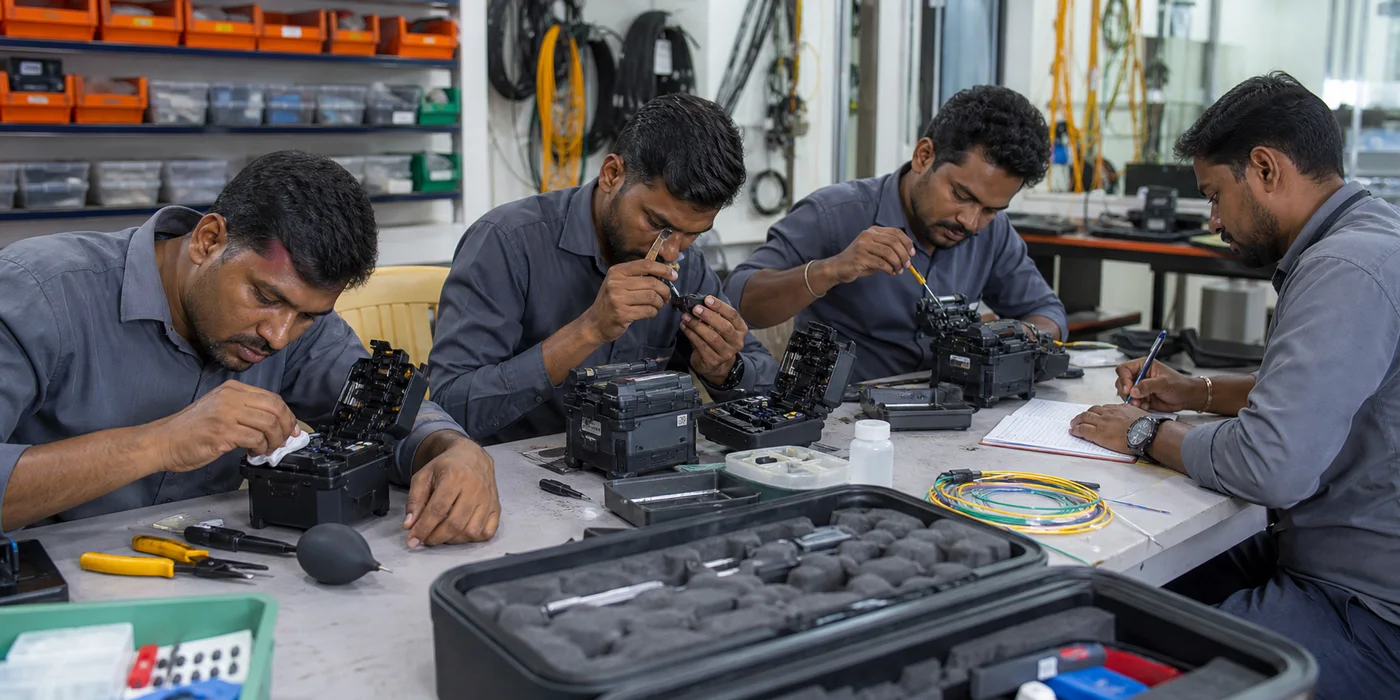
V-grooves position the fibres. A tiny particle can lift one fibre and create offset. Follow the equipment manual for cleaning; aggressive metal tools can damage precision surfaces. Check fibre clamps and wind protectors for movement or residue.
Electrodes degrade with arc cycles and contamination. Perform the recommended stabilisation, calibration or replacement procedure, especially after changing altitude, temperature, humidity or electrode sets. Optical cameras and mirrors should be cleaned only with appropriate methods.
6. Select the correct splice programme
Automatic programmes are convenient, but the machine still needs the correct fibre family and operating condition. Verify single-mode, bend-insensitive, multimode, dispersion-shifted or specialty fibre requirements. Incorrect arc power, duration or gap settings can produce a weak or high-loss joint.
Use manufacturer-supported automatic calibration rather than random manual adjustments. Record any approved custom programme so different technicians do not improvise incompatible settings.
7. Read the splicer image and error pattern
Core or cladding offset suggests preparation, placement, V-groove contamination or alignment issues. A bubble may indicate contamination or unsuitable arc conditions. A thin, necked joint can point to excessive pulling or parameters. A fat joint can indicate insufficient gap or movement. Repeat defects across many splices usually indicate a system problem rather than bad luck.
When the machine rejects a cleave, do not repeatedly override the warning. Re-cleave and inspect the tool. Store screenshots or error codes when troubleshooting with a service centre.
8. Protect the splice without creating a bend
Allow the completed splice to cool and place the sleeve correctly over the joint. Confirm heater settings for the sleeve type. A partially shrunk sleeve, trapped air or shifted strength member can reduce protection.
Route the protected splice in the tray without tight bends, twists or pressure points. Maintain fibre bend radius and leave service loops that can be accessed without pulling other joints. Closure seals and cable clamps should keep external tension away from the bare fibre.
9. Test connectors before blaming the splice
A dirty launch connector or damaged adapter can create high loss, reflection and misleading OTDR events. Inspect and clean connector end faces using an approved process before every critical connection. Use launch and receive fibres suited to the link and wavelength.
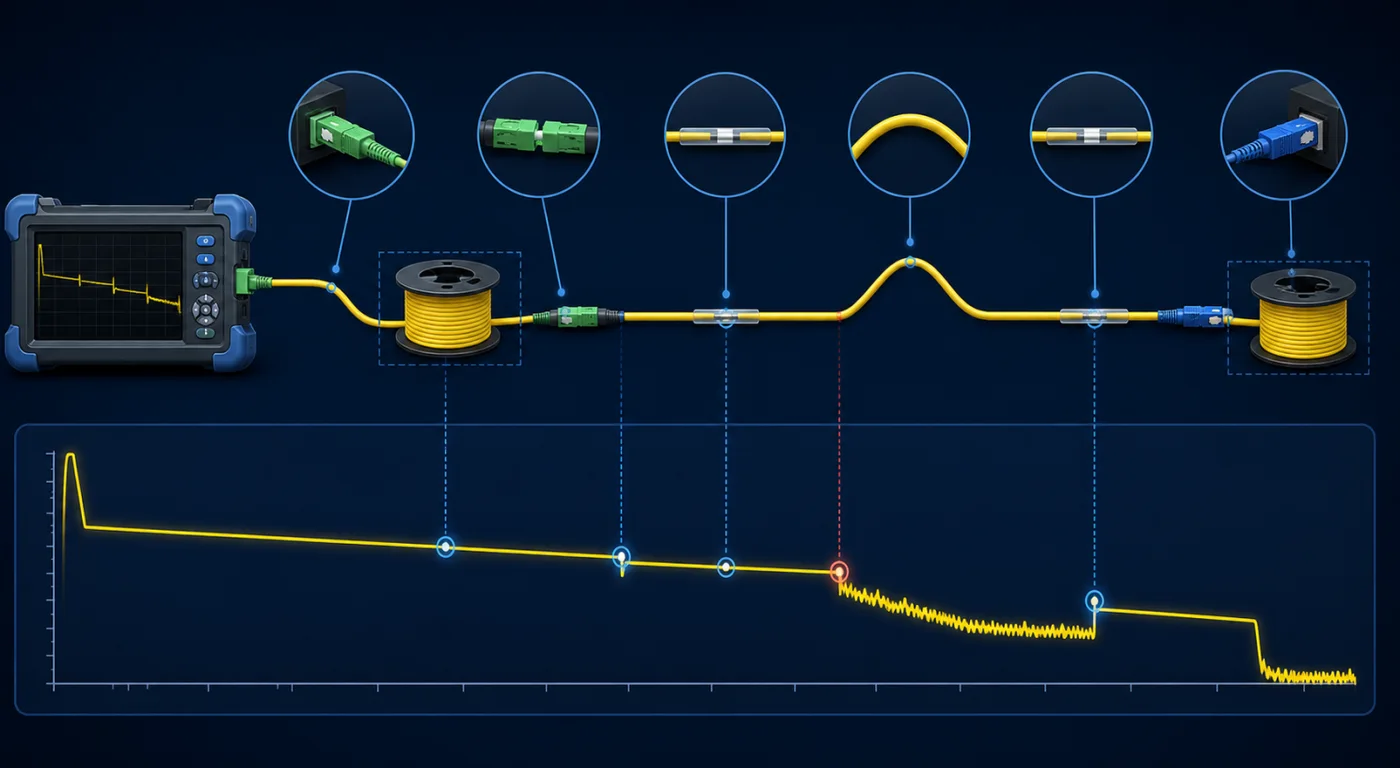
A visual fault locator can reveal severe bends or breaks over short accessible distances, but it does not quantify full link performance. A light source and power meter measure end-to-end insertion loss. An OTDR locates events and estimates their distance and characteristics. These tools answer different questions.
10. Use OTDR settings that match the link
Set wavelength, range, pulse width, averaging time and refractive index appropriately. A pulse that is too wide can hide nearby events, while one that is too narrow may not provide adequate dynamic range for a long or lossy link. Position launch and receive cables so the first and last connectors can be assessed.
Test in both directions when the specification or fibre mismatch makes directionality important. Compare event tables with the route plan; automatic labels can be wrong. Save native trace files as well as reports so another technician can reanalyse the data.
11. Build a troubleshooting sequence
• Confirm the correct cable, fibre and splice programme.
• Inspect and clean connectors, V-grooves, clamps and preparation tools.
• Check the cleaver using repeat cleaves on known fibre.
• Review electrode condition and perform supported calibration.
• Re-splice a controlled sample and record the result.
• Test with calibrated equipment and appropriate settings.
• Inspect tray routing and closure strain if loss changes after assembly.
Change one variable at a time. If the technician replaces the blade, cleans the splicer, changes the programme and alters OTDR settings together, the real cause remains unknown.
Preventive maintenance checklist
• Clean the workspace and organise tools before opening fibre.
• Inspect stripper, cleaver, electrodes and fibre holders regularly.
• Follow documented cleaning and calibration procedures.
• Track arc count, cleaver blade position and consumable changes.
• Carry verified cleaning materials and spare consumables.
• Store equipment in a dry, protective case.
• Back up job data and native OTDR traces.
Standardise quality across a field team
A contractor should not depend on one expert carrying all practical knowledge. Create a short job card covering fibre identification, programme, cleaver, electrode status, cleaning, splice result, tray position and final test files. Use the same naming rule for closures, fibres and traces. Supervisors can then compare technicians and recognise a tool-related pattern before an entire route is completed.
Training should include deliberate fault examples: contaminated V-groove, damaged cleaver blade, incorrect pulse width and a tight tray bend. Technicians learn faster when they can see how each mistake appears on the splicer and OTDR. After service or calibration, validate equipment on known reference fibres before returning it to a critical customer job.
Frequently asked questions
What is an acceptable fusion splice loss?
Acceptance depends on the project specification, fibre combination, wavelength and measurement method. Use the network designer’s budget and applicable standard rather than a universal internet number.
Why does a splice show gain in one OTDR direction?
Different fibre backscatter characteristics can create an apparent gainer. Bidirectional testing and averaging help evaluate the actual event.
Can a bad cleaver increase splice loss?
Yes. Cleave angle and end-face defects directly affect alignment and fusion. The cleaver should be treated as precision equipment.
Should every low-estimate splice be accepted?
No. Review the splice image, project threshold, physical protection and measured link results. The estimate is one quality signal, not final proof.
Repeatable workmanship produces reliable networks
Low-loss fibre installation is not achieved by one expensive machine or one experienced technician. It comes from a repeatable preparation, splicing, protection and testing system. When data is retained and defects are diagnosed methodically, callbacks fall and teams improve faster.
Jekath Fibertronics supports fibre contractors and network teams with fusion splicing machines, cleavers, OTDRs, testing instruments, accessories, rentals and service support in Chennai and across Tamil Nadu. The right equipment, training and maintenance plan should be selected around the actual network application.